When choosing KPI software in Malaysia, the best option is the one that links company goals to every employee’s KPIs, scores them fairly with weightage, connects results to appraisal and rewards, and is priced and supported locally. Use the 12-point checklist below to compare options before you book any demo.
Key takeaways
- There are 3 types of tools: Excel/Google Sheets, all-in-one HR suites, and dedicated KPI and performance software. Each fits a different stage.
- Excel is still enough for most companies under about 20 staff with one simple scorecard.
- The 3 features that matter most: KPI cascading, weighted scoring, and a link from KPI results to appraisal and bonus.
- Ask for a demo using your own KPIs, not the vendor’s sample data.
- Budget in RM per user per month, plus training time for managers.
By Bernard Yong, Chief Software Engineer and co-founder, DoerHRM.
What is KPI software?
KPI software is a system that lets a company set KPIs, cascade them from company to department to employee, track progress during the year, and score performance automatically. It replaces the spreadsheets, emails and WhatsApp messages most companies use to chase KPI updates.
A good KPI system answers 3 questions at any time:
- Are we on track to meet this year’s goals?
- Which departments and people are behind, and why?
- Who has earned what rating, and what reward?
If your KPIs only come alive at year-end appraisal, you have a KPI form, not a KPI system. Our guide to KPI performance management explains the full process the software should support.
Which type of KPI tool do you need?
Most Malaysian companies choose between three types of tool. The right one depends on your headcount, how many layers of KPIs you have, and whether KPI results drive appraisal and bonus.
| Excel / Google Sheets | All-in-one HR suite | Dedicated KPI and performance software | |
|---|---|---|---|
| Best for | Under ~20 staff, one simple scorecard | Companies whose main need is payroll, leave and HR records | Companies that want KPIs, appraisal and rewards to drive performance |
| KPI cascading (company → staff) | Manual, copy and paste | Basic or none | Built in |
| Weighted KPI scoring | Formulas you maintain | Varies | Built in |
| Monthly or weekly check-ins | By email or meetings | Rare | Built in |
| Link to appraisal and bonus | Manual | Appraisal often included; bonus link varies | Usually built in |
| Strategy tools (Balanced Scorecard, OKR) | No | Rare | Often included |
| Cost | Free | Usually per user, bundled with HR modules | Per user per month |
| Main risk | Version chaos, broken formulas, no audit trail | KPI features too shallow | Needs managers to be trained |
When Excel is still enough: you have fewer than about 20 staff, one person owns the file, KPIs change once a year, and bonus is not linked to KPI scores. Start with our free KPI templates and move to software when the file starts breaking.
What should you look for in KPI software? (12-point checklist)
Check these 12 points in every option you consider. The first 6 decide whether the software can run your KPI process at all; the last 6 decide whether your managers will actually use it.
Can it run your KPI process?
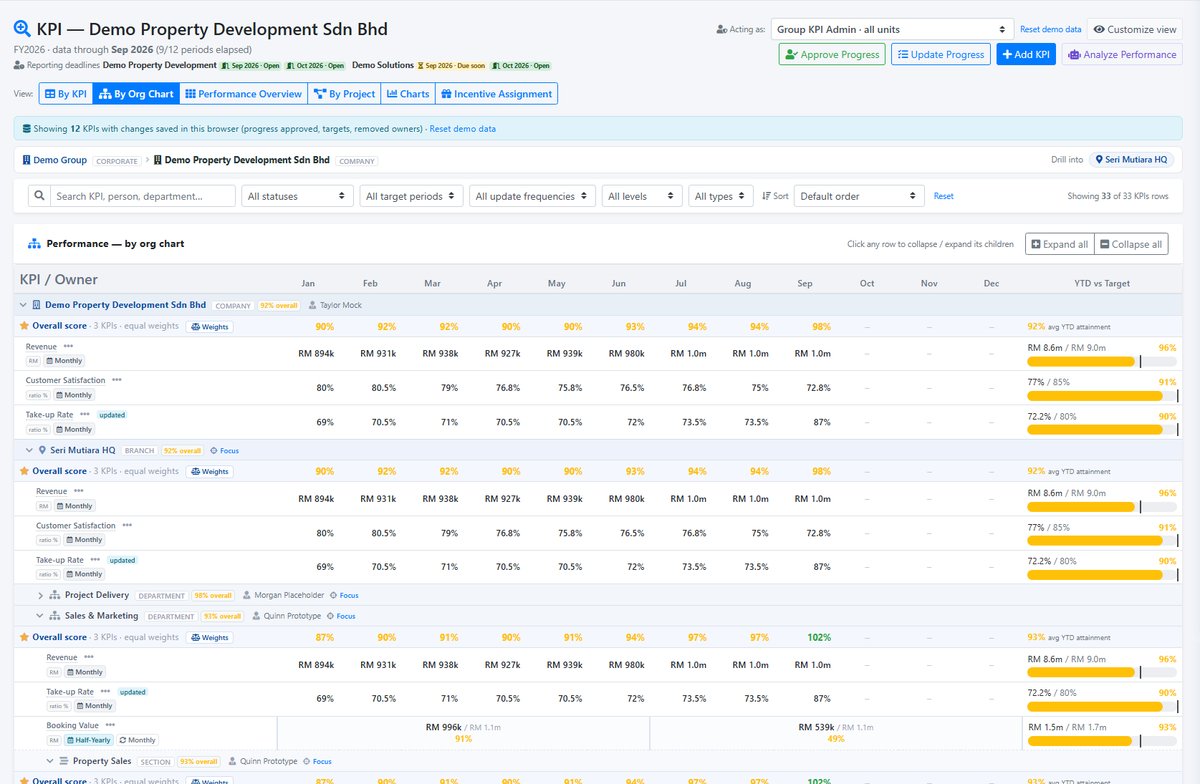
- KPI cascading: can company goals be broken down into division, department and individual KPIs, with the link visible?
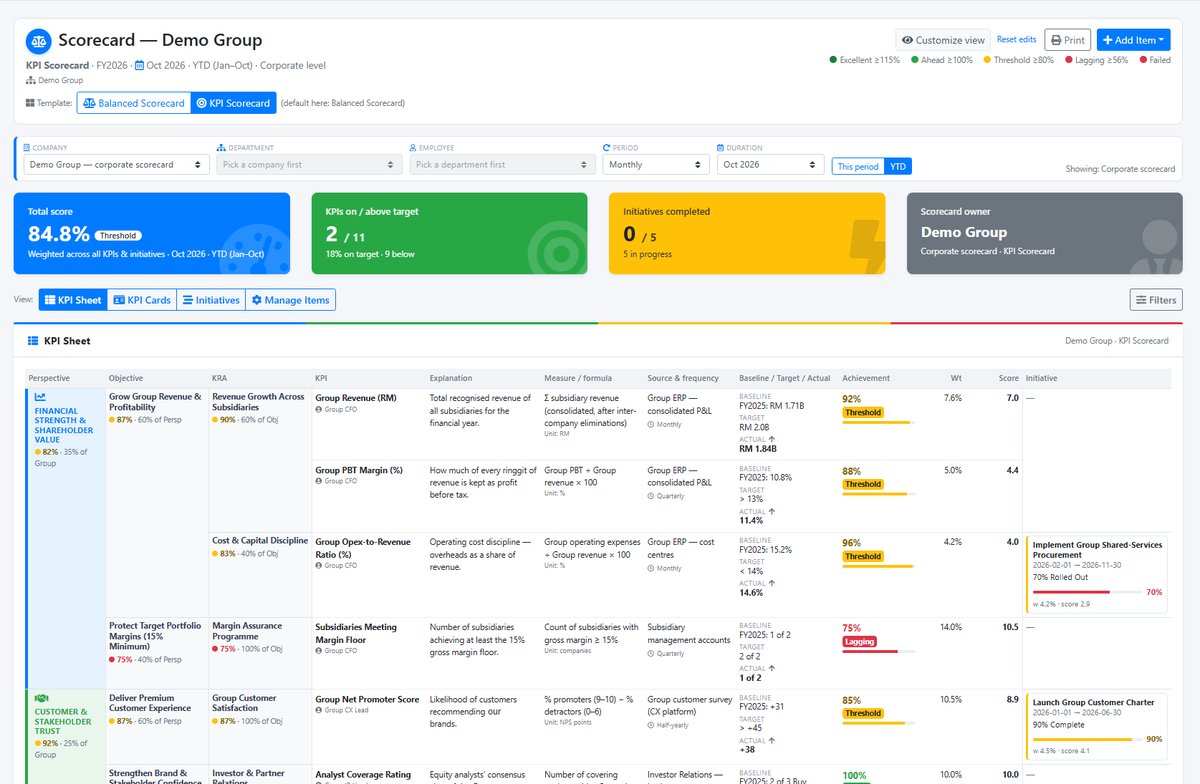
- Weighted scoring: can you set weightage per KPI, caps (for example a maximum of 120%) and different scoring rules?
- Different KPI types: numbers, percentages, yes/no and “lower is better” KPIs such as cost or defects.
- Regular check-ins: weekly or monthly updates with comments and evidence, not just a year-end form.
- Appraisal link: do KPI results flow into the performance review, together with competencies and 360-degree feedback if you use them?
- Reward link: can KPI scores feed a bonus or increment calculation, with a budget limit?
Will your managers use it?
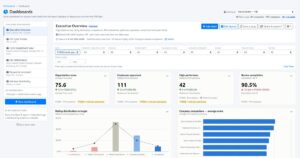
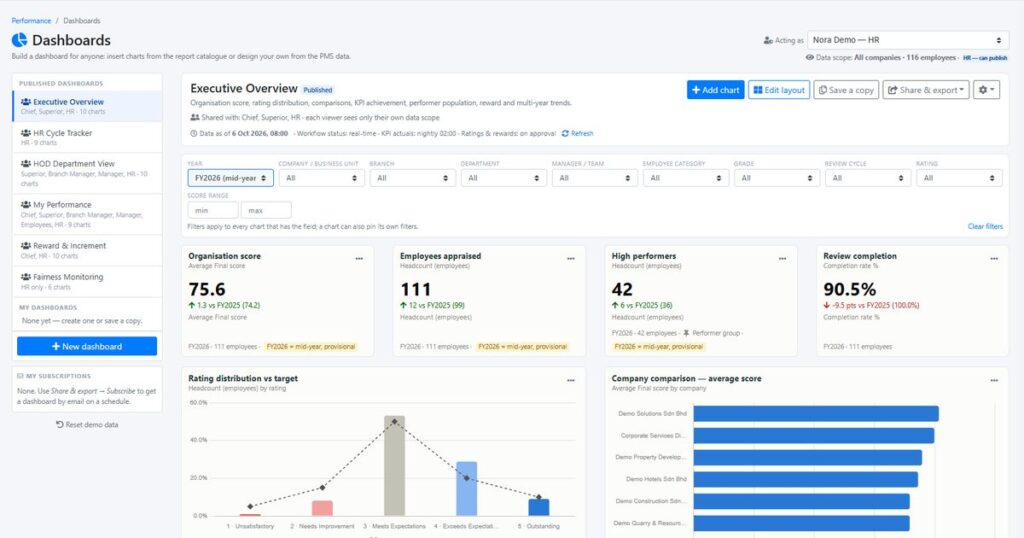
- Dashboards: can a CEO see company, department and individual progress on one screen?
- Ease of use: can a line manager update KPIs in under 5 minutes without training notes?
- Strategy tools: Balanced Scorecard, strategy map or OKR, if you plan strategy that way.
- Local pricing and support: pricing in RM, support in Malaysian business hours, and a team that understands local practices.
- Training and implementation help: software alone rarely fixes poorly written KPIs. Check whether the vendor helps you design the KPIs, and whether the training is HRD Corp claimable (see HRD Corp for how claims work).
- Data and access control: who can see whose KPIs and scores, and can you export your data?
What questions should you ask in a KPI software demo?
Ask the vendor to set up one of your real department scorecards during the demo. Then ask these 8 questions.
- “Show me how a company goal becomes a KPI for one of our sales executives.”
- “Our sales KPI is capped at 120% and weighted 40%. Show me how the score is calculated.”
- “How does a manager update KPIs each month, and how long does it take?”
- “What happens when an employee changes role or department in the middle of the year?”
- “How do KPI scores flow into the appraisal form and the bonus calculation?”
- “Who sees what? Can an employee see a colleague’s scores?”
- “What does implementation look like in the first 30 days, and who does what?”
- “What is the total cost for our headcount, billed annually and monthly, including onboarding?”
If the answer to question 2 is “you can do that in a spreadsheet and upload it”, the software is not doing the hard part for you.
How much does KPI software cost in Malaysia?
KPI software is usually priced per user per month. As an example, DoerHRM’s published plans are RM12 (Starter) or RM16 (Growth) per user per month billed annually, or RM18 and RM24 billed monthly.
Use this table to estimate a budget. It uses DoerHRM’s published prices only, as an example; other vendors price differently.
| Company size | Starter (RM12/user/month, annual) | Growth (RM16/user/month, annual) |
|---|---|---|
| 20 users | RM240 a month (RM2,880 a year) | RM320 a month (RM3,840 a year) |
| 50 users | RM600 a month (RM7,200 a year) | RM800 a month (RM9,600 a year) |
| 100 users | RM1,200 a month (RM14,400 a year) | RM1,600 a month (RM19,200 a year) |
Also budget for:
- Manager time: about 1–2 hours a month per manager for check-ins and reviews.
- KPI design and training: most of the value comes from good KPIs, not the software. Check whether training is HRD Corp claimable.
- Set-up: importing staff, departments and the first year’s KPIs.
See the full plan comparison on our pricing page.
How do you choose the right KPI software? (5 steps)
Shortlist by type first, test with your own KPIs, then run a small pilot before rolling out company-wide.
- Write down your process first. How many KPI layers, how often you review, and whether KPIs drive bonus.
- Pick the tool type using the comparison table above.
- Shortlist 2–3 options that pass checklist points 1–6.
- Run demos with your own scorecard and the 8 questions above.
- Pilot with one department for one month. Choose a department with a supportive manager. If managers don’t update KPIs during the pilot, fix the process before buying more licences.
Worked example: a 50-staff company choosing KPI software
A 50-staff trading company in Selangor used Excel for KPIs. This is a hypothetical example to show how the checklist works.
- The problem: 6 department files, each with different formulas. HR spent the first week of every quarter chasing updates. Bonus discussions were based on memory.
- Checklist result: Excel failed on cascading, check-ins and the appraisal link. An HR suite they looked at passed on appraisal but had no weighted KPI scoring or bonus link. A dedicated KPI tool passed all of points 1–6.
- Budget: about RM600–RM800 a month for 50 users on DoerHRM’s published annual prices, plus 2 days of KPI training for 8 department heads.
- Pilot: the sales department ran monthly check-ins for one month before the company rolled out to all departments.
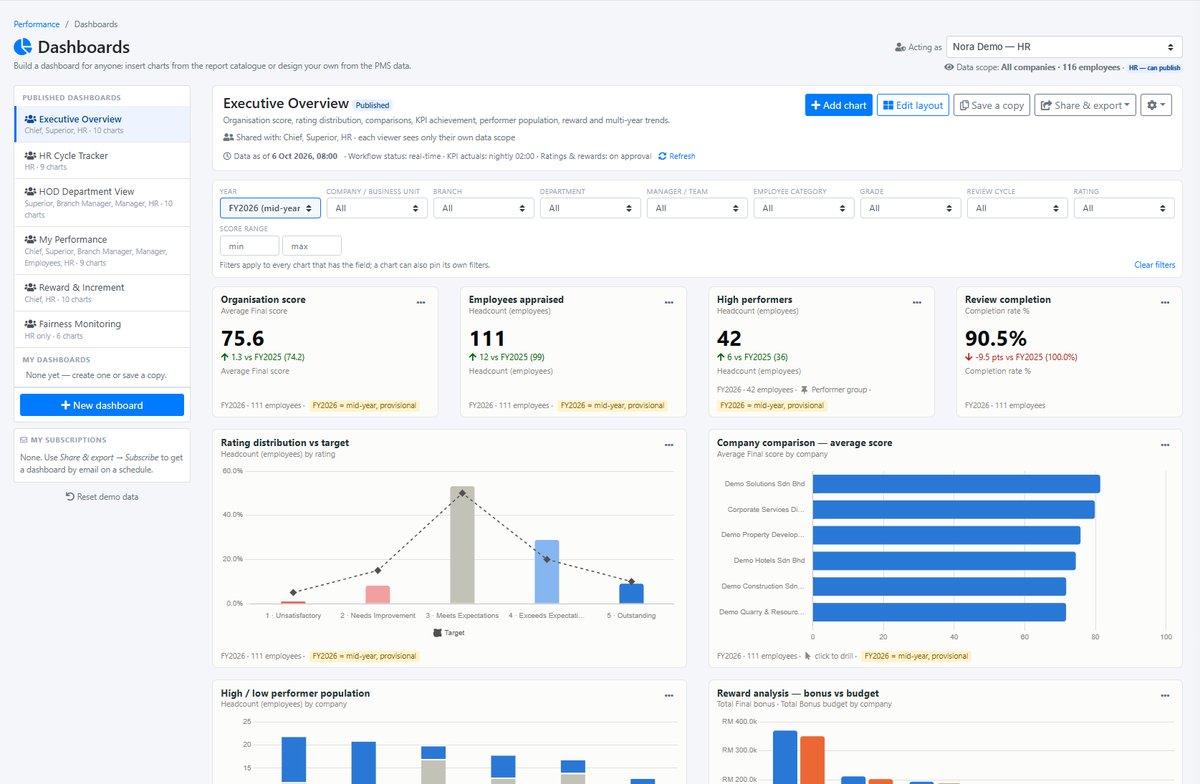
In DoerHRM, a scorecard like this can be built with weightage, monthly check-ins and a direct link to performance appraisal and reward calculation.
Frequently asked questions
What is the best KPI software in Malaysia? There is no single best KPI software for every company. The best choice is the one that can cascade your goals, score KPIs with weightage, link results to appraisal and bonus, and is priced and supported locally. Test 2–3 options with your own KPIs.
Is Excel good enough for KPIs? Excel works for small teams with one simple scorecard. It becomes hard to manage once you have several departments, monthly updates and bonus linked to KPI scores, because files multiply and formulas break.
How much does KPI software cost in Malaysia? Most KPI software is priced per user per month. For example, DoerHRM starts at RM12 per user per month billed annually. A 50-user company would budget about RM600 a month on that plan.
What is the difference between KPI software and HR software? HR software focuses on employee records, payroll and leave. KPI software focuses on setting goals, tracking performance and scoring results. Some HR suites include basic KPI features, but usually without cascading or weighted scoring.
Can KPI software calculate bonuses? Some can. Look for software that turns KPI scores into a performance rating and then into a bonus or increment calculation, with a budget limit so the total stays within what the company can afford.
Do we need training before using KPI software? Usually, yes. Software tracks KPIs but does not write good ones. Training managers to set clear, measurable KPIs makes the software far more useful.
How long does it take to implement KPI software? A single-department pilot can start within a few weeks, once KPIs are written. Company-wide roll-out usually follows after the first month’s review.
Conclusion
Start by deciding which type of tool you need, then compare options using the 12-point checklist and your own KPIs. Software only works when the KPIs are clear, so plan for manager training as well as licences.
Want to see how your own KPIs would look in a KPI system? Book a free session with a DoerHRM expert and we’ll set up one of your department scorecards with you.
Bernard Yong is Chief Software Engineer and co-founder of DoerHRM. He leads the development of DoerHRM’s KPI, OKR, appraisal and reward modules.