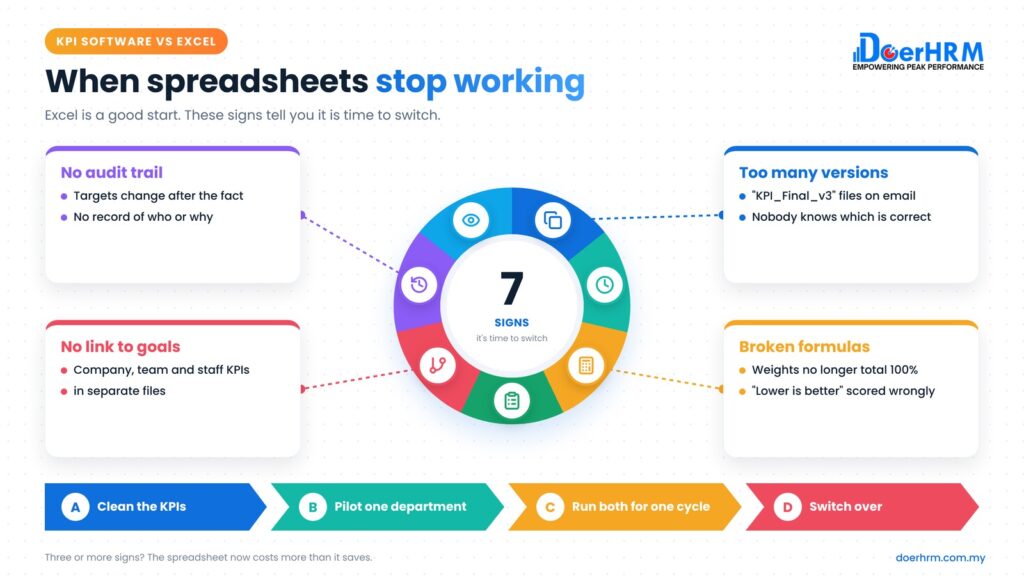
Is Excel enough for tracking KPIs? For a small team with a few KPIs and one person owning the file, yes. In the KPI software vs Excel decision, the switching point comes when you spend days chasing updates, fixing formulas and merging versions, or when you need KPIs to cascade from company to staff and feed appraisal and bonus.
Key takeaways
- Excel is a good place to start: it is flexible, familiar and already paid for.
- It struggles with many contributors, version control, audit trails and linking KPIs across levels.
- Seven warning signs, listed below, tell you it is time to switch.
- Compare software cost with the staff hours Excel uses, not with zero.
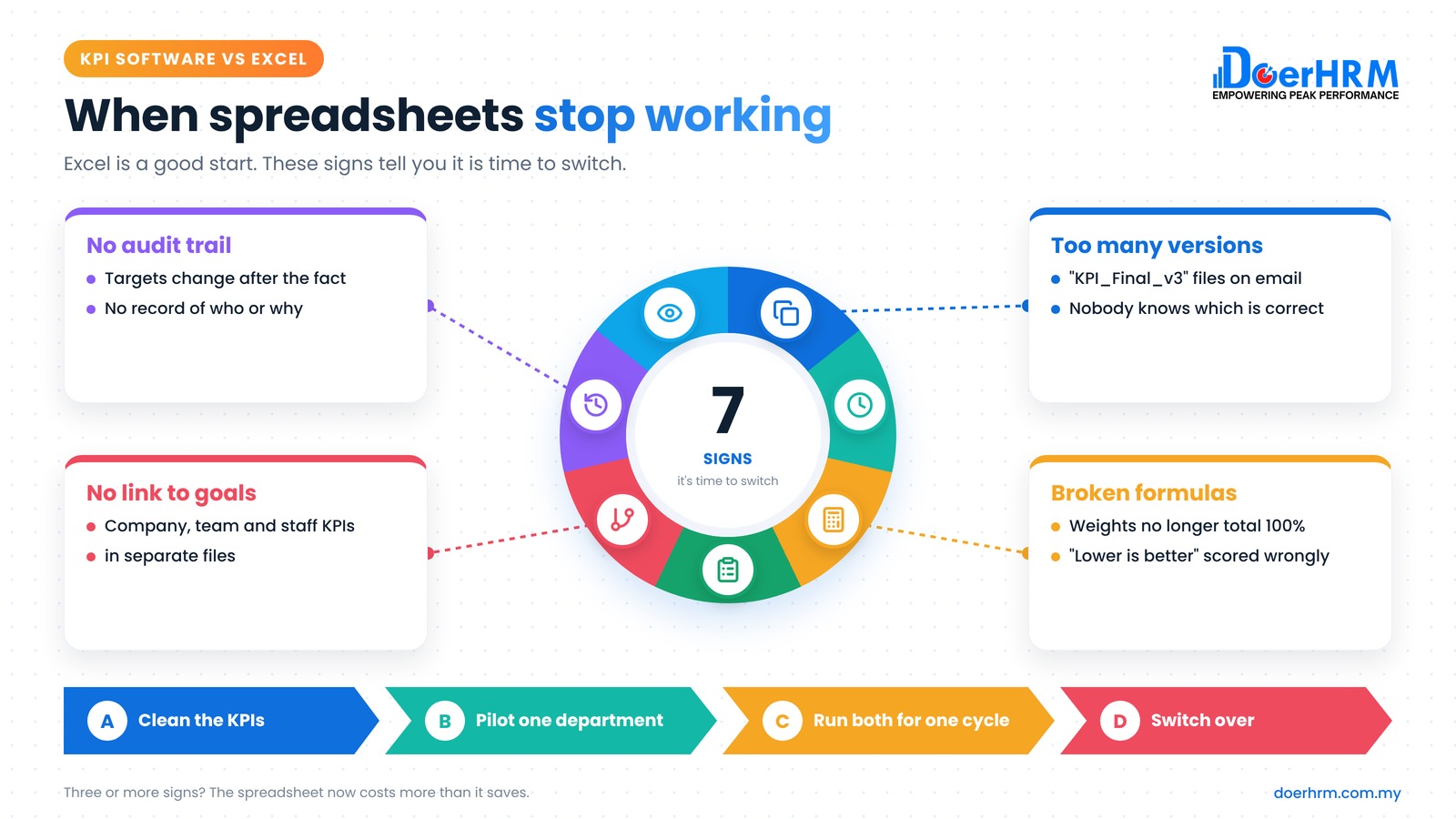
- Migrate in steps: clean the KPIs, pilot one department, run both in parallel for one cycle, then switch.
By Bernard Yong, Chief Software Engineer and Co-founder of DoerHRM.
When is Excel enough for tracking KPIs?
Excel is enough when the team is small, the KPIs are few and stable, one person updates the file and nobody needs to link KPI results to appraisal or bonus.
We are fans of starting in Excel. It forces you to define each KPI clearly before you buy anything. Our free KPI templates are spreadsheets for exactly this reason.
Excel usually works well when:
- you have roughly 15 to 20 staff or fewer on KPIs (a rough guide, not a hard rule)
- each person has 4 to 6 KPIs that rarely change
- one person, often the owner or HR, collects and updates the numbers
- reviews happen monthly or quarterly, in one meeting
- KPI scores are not yet used to calculate bonus or increments
If that is you, stay in Excel and focus on good KPI design. Software will not fix poorly defined KPIs.
What are the signs it’s time to switch from Excel to KPI software?
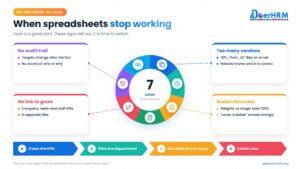
The clearest sign is that maintaining the spreadsheet takes more time than discussing the results. Seven specific warning signs follow.
- There is more than one “latest” version. Files named “KPI_Final_v3_Aina_edit” circulate by email or WhatsApp, and nobody is sure which is correct.
- Month-end chasing takes days. HR or a manager spends hours collecting actuals from department heads before any review can happen.
- Formulas break quietly. Someone overwrites a formula, a weight is changed so the total is no longer 100%, or a “lower is better” KPI is scored the wrong way.
- You cannot see how staff KPIs link to company goals. Company, department and individual KPIs sit in separate files with no live connection.
- There is no record of who changed what. A target or actual changes after the fact, and there is no trail showing who did it or why.
- Appraisal and bonus depend on copy-paste. KPI scores are copied into an appraisal file, then into a bonus sheet. Each copy is a chance for error.
- Nobody sees progress until the report is ready. Managers and staff cannot check their own KPI status without asking HR, so problems surface weeks late.
If three or more of these sound familiar, the spreadsheet is now costing you more than it saves.
How do KPI software and Excel compare?
Excel wins on flexibility and upfront cost. KPI software wins on collaboration, control and linking KPIs to appraisal and reward.
| Area | Excel | KPI software |
|---|---|---|
| Upfront cost | Usually already owned | Per-user subscription |
| Setup | Fast for a small team | Needs set-up of structure, users and KPIs |
| Collecting actuals | Manual: email, chase, paste | Owners enter their own actuals, managers approve |
| Version control | Many copies, easy to lose track | One shared record |
| Calculations | Formulas you build and protect yourself | Built-in weighted scoring and rating rules |
| Company-to-staff cascade | Separate files, linked by hand | KPIs linked across levels |
| Audit trail | Limited | Changes and approvals recorded |
| Dashboards | Built and refreshed by hand | Updated as data comes in |
| Link to appraisal and bonus | Copy-paste between files | Scores flow into appraisal and reward |
| Flexibility for one-off analysis | Excellent | Depends on the system |
As an example, in DoerHRM KPI owners submit actuals, supervisors approve them, and the dashboard shows KPI, OKR, appraisal and bonus data in one place.
What does switching cost compared with the time Excel takes?
Compare the subscription with the staff time Excel consumes each month. Software pays for itself when it saves more time than it costs.
Hypothetical example: a 30-person trading company in Johor tracks KPIs in Excel. All figures are assumptions for illustration.
| Time spent each month on Excel KPIs | Hours | Assumed cost per hour | Monthly cost |
|---|---|---|---|
| HR executive collecting, checking and consolidating | 16 | RM25 | RM400 |
| 6 managers chasing and updating (4 hours each) | 24 | RM50 | RM1,200 |
| Total | 40 | RM1,600 |
That is RM1,600 × 12 = RM19,200 a year of staff time.
Now the software cost. DoerHRM’s Growth plan, which includes the KPI and metric dashboard, is RM16 per user per month billed annually. For 30 users: 30 × RM16 × 12 = RM5,760 a year.
The break-even point: RM5,760 ÷ RM19,200 = 30%. If the software removes 30% of that time (12 of the 40 hours a month), it pays for itself. Anything above that is time returned to managers.
Run this with your own hours and costs. Be honest about set-up time in the first months, and remember the costs this example leaves out: wrong bonus calculations, late decisions and disputes over numbers.
How do you move KPIs from Excel to software?
Move in stages: clean up the KPIs, define them fully, pilot one department, run both systems for one cycle, then switch.
- Clean up your Excel KPIs first. Remove duplicates and vague KPIs. Keep 4 to 7 per person.
- Write each KPI in full. Formula, data source, frequency, owner, baseline, target, and whether higher or lower is better.
- Set up your structure. Map company, department and staff KPIs so each staff KPI links to a goal above it.
- Pilot one department for one cycle. Choose a team with a supportive manager and clean data.
- Run Excel and the software in parallel for one cycle. Compare the scores. Fix any differences before you go wider.
- Train managers on the monthly routine. Who enters actuals, who approves and when the review happens.
- Make the software the single source. Archive the old spreadsheet as read-only for reference.
For choosing a system, see our KPI software buyer’s guide for Malaysia. For the wider process around the tool, read our guide to KPI performance management.
Frequently asked questions
Is Excel enough for tracking KPIs? For a small team with a few stable KPIs and one person updating the file, yes. It becomes hard to manage when many people contribute, KPIs cascade across levels, or scores feed appraisal and bonus.
Can Excel make a KPI dashboard? Yes. Excel charts and pivot tables can build a useful dashboard. The catch is that someone must collect the data and refresh it by hand each period.
What is the main advantage of KPI software over Excel? One shared, controlled record. People enter their own actuals, managers approve them, calculations are consistent, and results link to appraisal and reward without copy-paste.
How long does it take to move KPIs from Excel to software? It depends on how clean your KPIs are. Plan for at least one full review cycle as a pilot, run in parallel with Excel, before switching the whole company.
Can I keep using Excel after switching? Yes. Many teams still use Excel for one-off analysis. The difference is that the official KPI record lives in one system.
Conclusion
Excel is a good place to start, and for small teams it may be all you need. Watch for the warning signs: version confusion, days of chasing, broken formulas, no audit trail and copy-paste into appraisal and bonus. When three or more appear, compare the software cost with the hours Excel takes, then migrate in stages.
Seeing three or more of these warning signs? Book a free session with a DoerHRM expert and we’ll show you what your current KPI spreadsheet looks like in DoerHRM.
Bernard Yong is the Chief Software Engineer and Co-founder of DoerHRM. He leads the team that builds DoerHRM’s KPI, OKR, appraisal and reward modules, and writes about how HR and management teams can track performance with less manual work.